Marble Villa:Enjoy 20% off room rentals at Marble Villa.
Rental Shop:Receive 20% off regular tune-ups and waxing at the rental shop.
Marble Merchandise:Get 20% off on all Marble Mountain merchandise.
Supplement KIng:15% off Supplement King
Blow Me Down Trails:Enjoy a 25% discount on day passes.
Lessons:Receive 20% off lessons (must be used by the season pass holder only).
Lockers:Reserve your locker for $125 for the season.
Piker’s Place:Preferred pricing at Piker’s Place
Cycle Solutions:Discounts off select items at Cycle Solutions.
Exclusive Event Tickets:Save 20% off tickets for exclusive Marble Mountain events.
Pasadena Ski & Nature Park:Benefit from a 25% discount on day passes.
Whitehills Resort: 15% off Whitehills Resort lift tickets
George’s Ski World:Discounts off select items at George’s Ski World
Discount Eligibility:Discounts and perks are only valid for the season pass holder and cannot be shared or transferred.
Room Rentals:The 20% discount on Marble Villa room rentals is subject to availability and may not be combined with other promotions.
Rental Shop Services:The 20% discount on tune-ups and waxing applies only to regular-priced services.
Merchandise Discounts:The 20% discount on Marble merchandise is applicable only to items available in-store and cannot be combined with other offers.
Event Tickets:The 20% discount on event tickets is limited to selected events and must be purchased in advance.
Lessons:The 20% discount on lessons is applicable for that season passholder only and must be booked in advance.
Locker Rental:The locker fee is non-refundable and is due at the time of rental.
Modification of Terms:Marble Mountain Resort reserves the right to modify or cancel these perks and terms at any time without prior notice.
Ski & Nature Park Passes:The 25% discount on Pasadena Ski & Nature Park and Blow Me Down Trails season/day passes is valid for the 2026 season only.
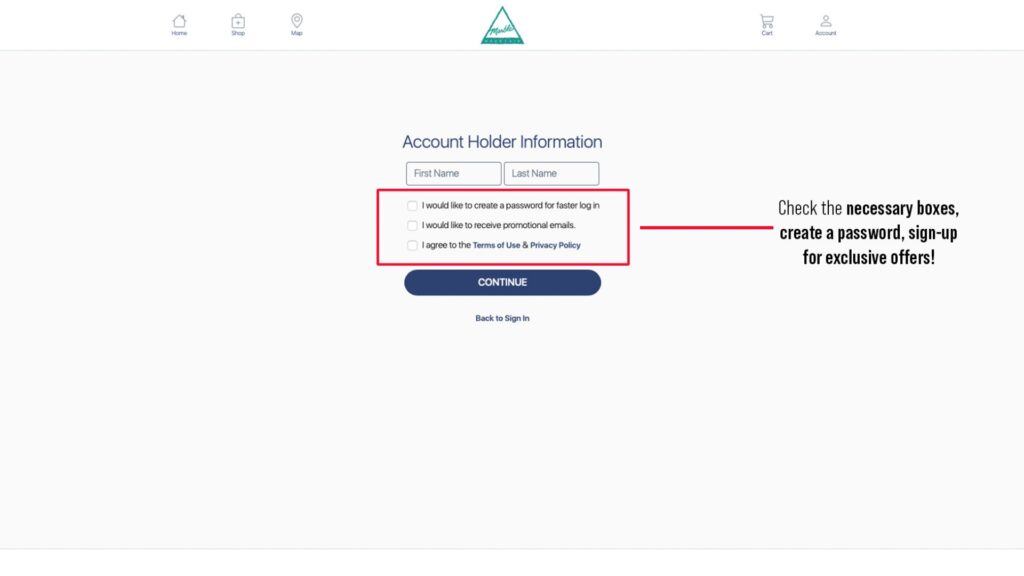
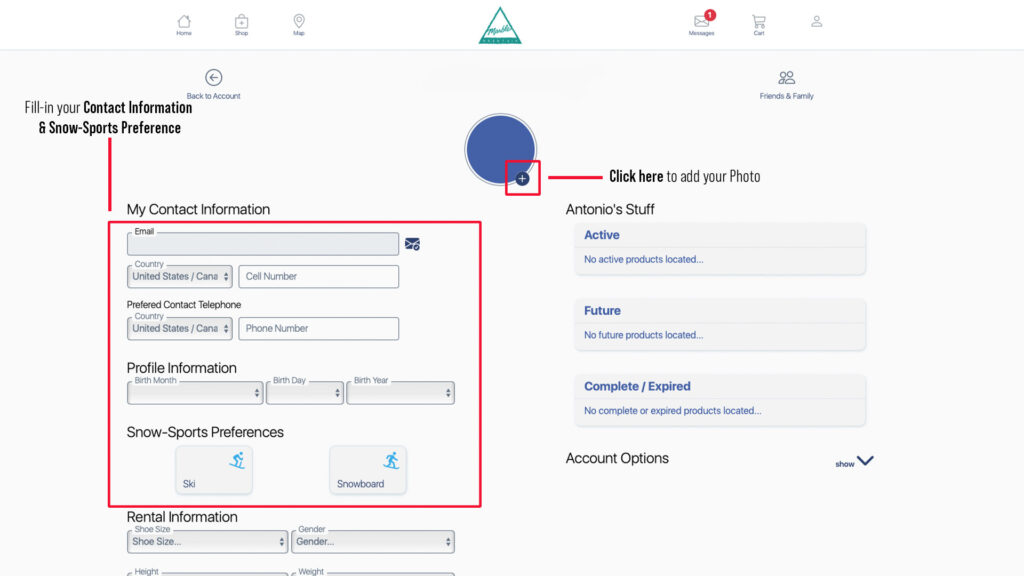
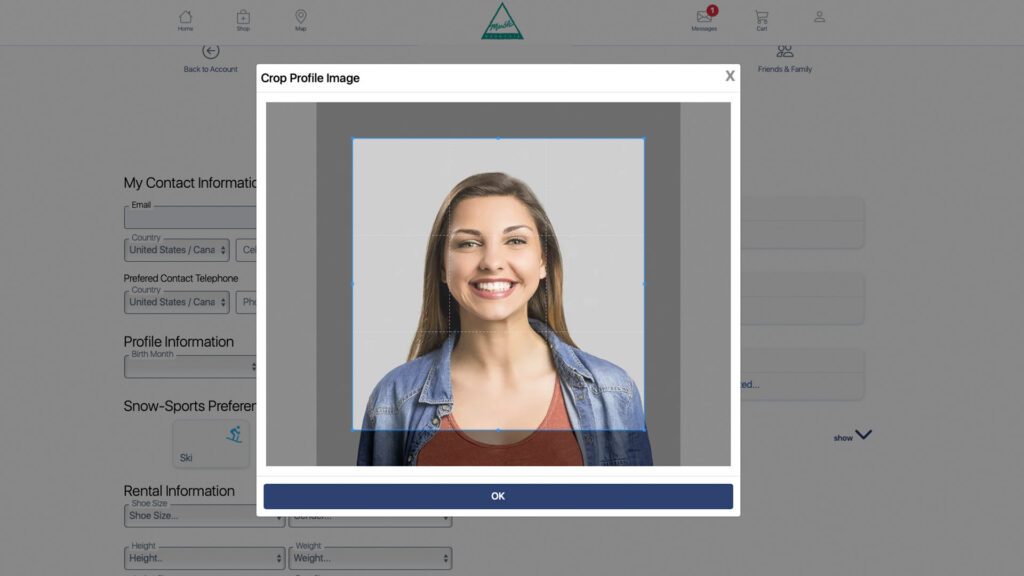
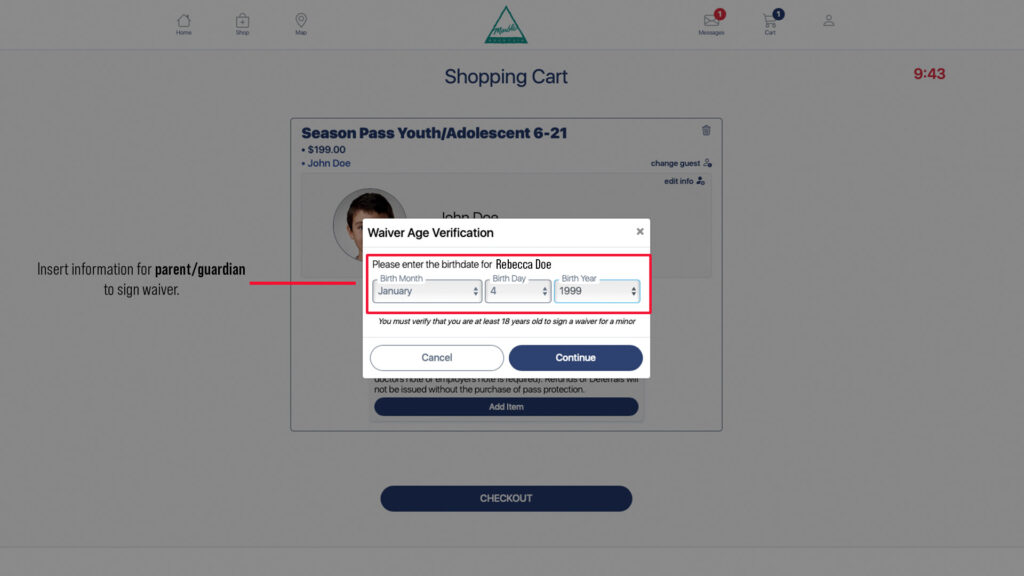
*Step 5 and 6 are not required but recommended.